Production
Recording production steps
Working through a batch on the production floor: completing each stage's items, recording measurements, and handling critical control points.
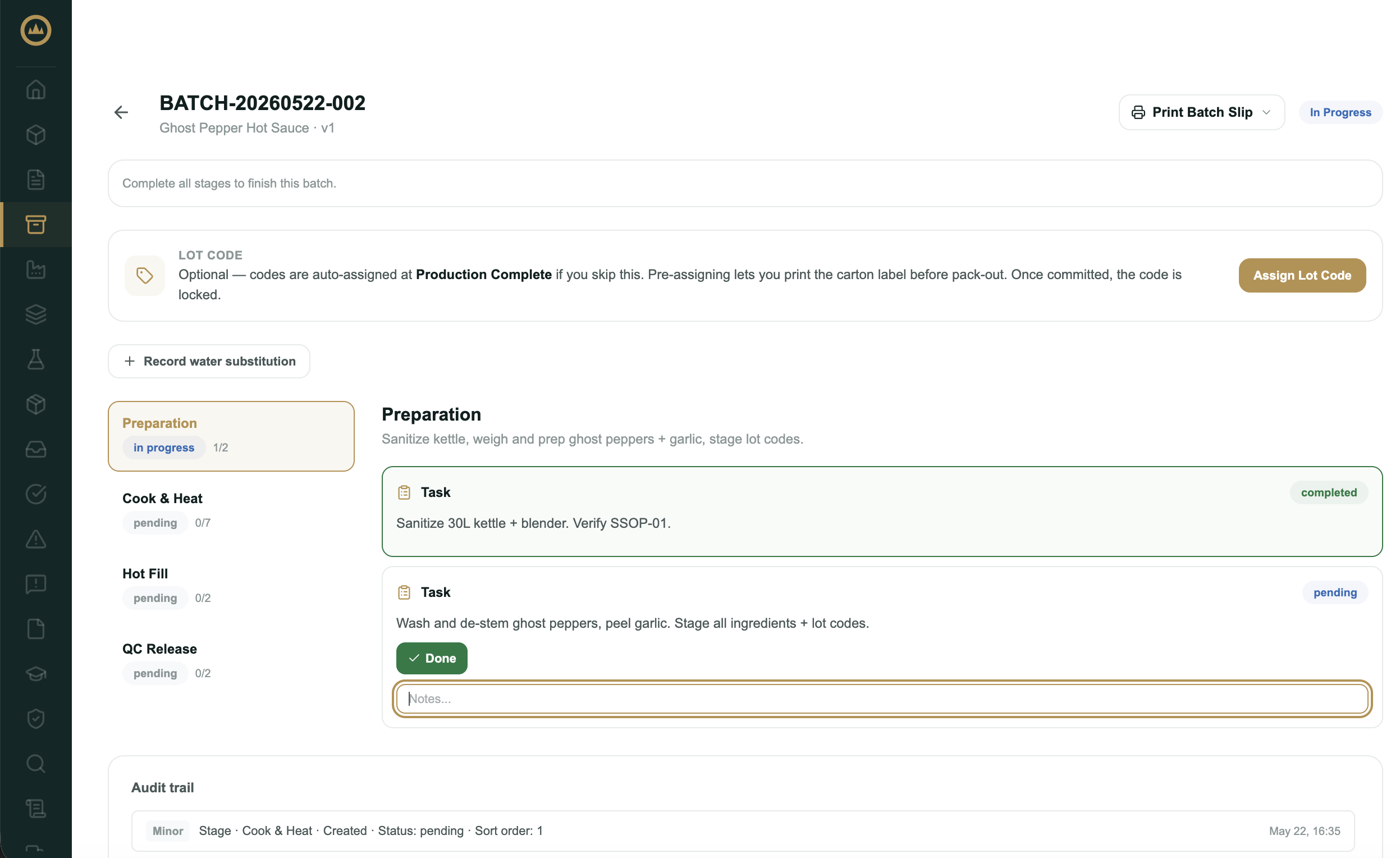
Once a batch is in progress, you record production on the production floor, Crown's stage-by-stage view of the recipe. You complete each item as you do it, and Crown stamps who recorded it and when. When every item in a stage is done, the stage closes and the next one opens.
Completing items
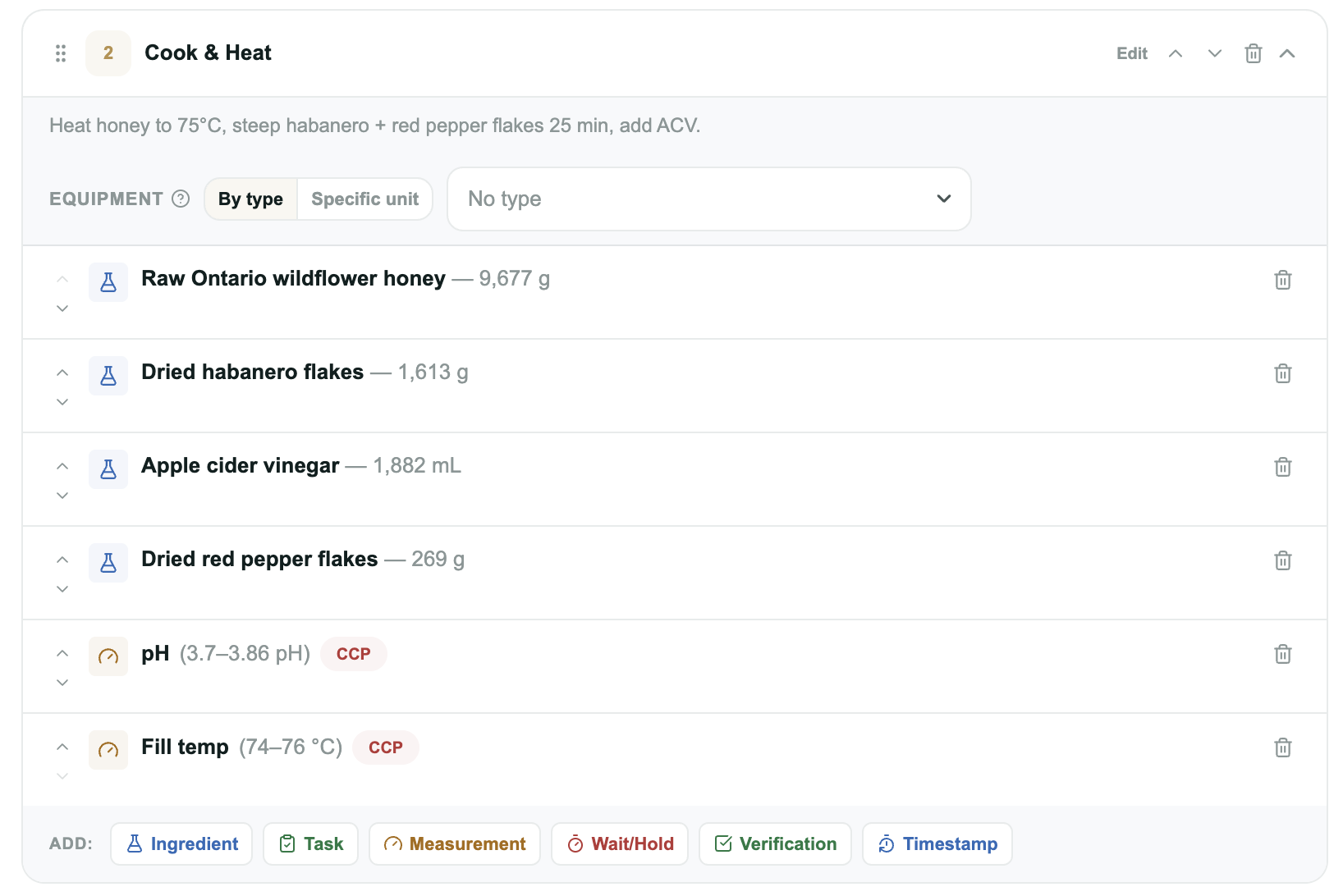
Each stage lists its items in order. The control you get depends on the item type:
- Ingredient: select the lot you're using (see Assigning lots to a batch), enter the actual quantity, and complete. Crown deducts what you used from inventory.
- Task: read the instruction and mark it Done. If the recipe includes reference photos for the step, they appear under Reference below the instruction so you can see how the result should look. If the task requires a photo, attach one before you can complete it.
- Measurement: enter the reading. Crown checks it against the item's range and won't let you complete the item until a value is entered.
- Wait / hold: start the hold, log any scheduled check-ins, and complete it when the time or condition is met. Use the Vessel / location picker to record where the hold is running (a tank, kettle, or container). Recording it is optional, but it shows the hold live at that spot on the dashboard's plant floor. If the recipe named a specific vessel, it's already filled in.
- Verification: confirm the check.
- Timestamp: tap Record now to stamp the current time.
Some items carry a badge for an extra effect that happens when you complete them. Best-before anchor: the batch's best-before date counts from the moment that step is completed. Assigns lot code: completing that step commits the batch's lot code, so date-based codes reflect the day production actually ran and carton labels can print before the batch finishes.
Required vs. optional items
Items the recipe marked as must-complete (or, for checks, required) have to be finished before the stage can close. Items marked optional show a Skip button; use it when the step doesn't apply to this run. Skipping is recorded, so the batch record reflects exactly what was and wasn't done.
Critical control points
A measurement flagged as a critical control point (CCP) is enforced.
Substituting an ingredient
If you have to swap an ingredient mid-run, use the Substitute ingredient option on the ingredient item. See Substituting an ingredient mid-batch for the full walkthrough, including bottled-water swaps and quick batches.
What's next
When every stage is complete, the batch is ready to wrap up. Select Enter yield & complete to record output and move toward release. See Releasing a batch.