Recipes
Managing recipe versions
How recipe versions work in Crown: drafts, approval, duplicating to revise, and why old batches stay linked to the version they ran on.
Every recipe in Crown is a series of versions of a product. You don't edit one recipe over time; you approve a version, produce against it, and create a new version when the recipe changes. This keeps each batch's record tied to exactly what was in effect when you made it, even as the recipe evolves.
Recipe version states
A recipe version is in one of three states:
- Draft: fully editable. You can change ingredients, stages, quantities, and yield freely. A draft can't be produced against.
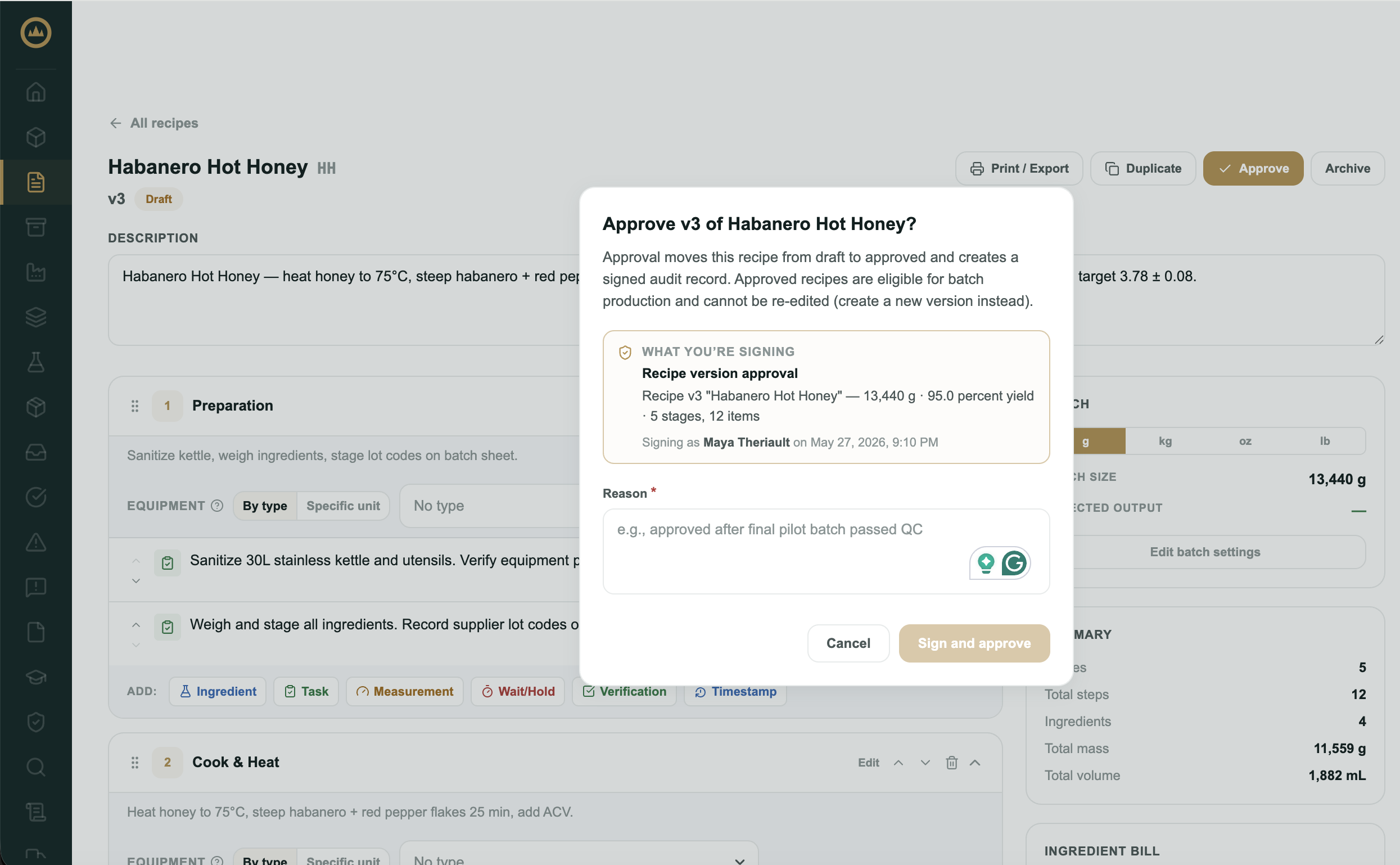
- Approved: locked and read-only. Approving a version with your e-signature makes it eligible for production. You can't edit an approved version.
- Archived: a retired version. Crown hides archived versions from the recipe list by default (a "Show archived" toggle reveals them) and doesn't use them for new batches. Archive a version to retire one you no longer produce against.
When you start a batch, Crown uses the product's latest approved version. Drafts and archived versions never appear in the batch picker.
Revising an approved recipe
Because approved versions are locked, you revise a recipe by creating a new one.
- Duplicate the approved version
Open the recipe and select Duplicate. Crown copies it into a new draft as the next version number, carrying over every ingredient and stage.
- Make your changes
Edit the new draft: adjust quantities, add or remove stages, update measurements. The approved version it came from is untouched.
- Approve the new version
When the revision is correct, approve it with your e-signature. New batches now use this version automatically.
Why versioning matters for traceability
When an inspector or a customer asks what went into a batch from three months ago, the answer has to reflect the recipe as it was then, not as it is now. Because each batch references a specific version, Crown can always show the exact ingredients, quantities, and process steps that batch actually used.
What's next
Recipe yield is part of every version. See Understanding yield for how Crown compares each batch's output to the recipe's target.