GMP & Compliance
Your QMS completeness score
How to read the QMS completeness score on your dashboard: what the Setup and Operations pillars measure, and how to raise it.
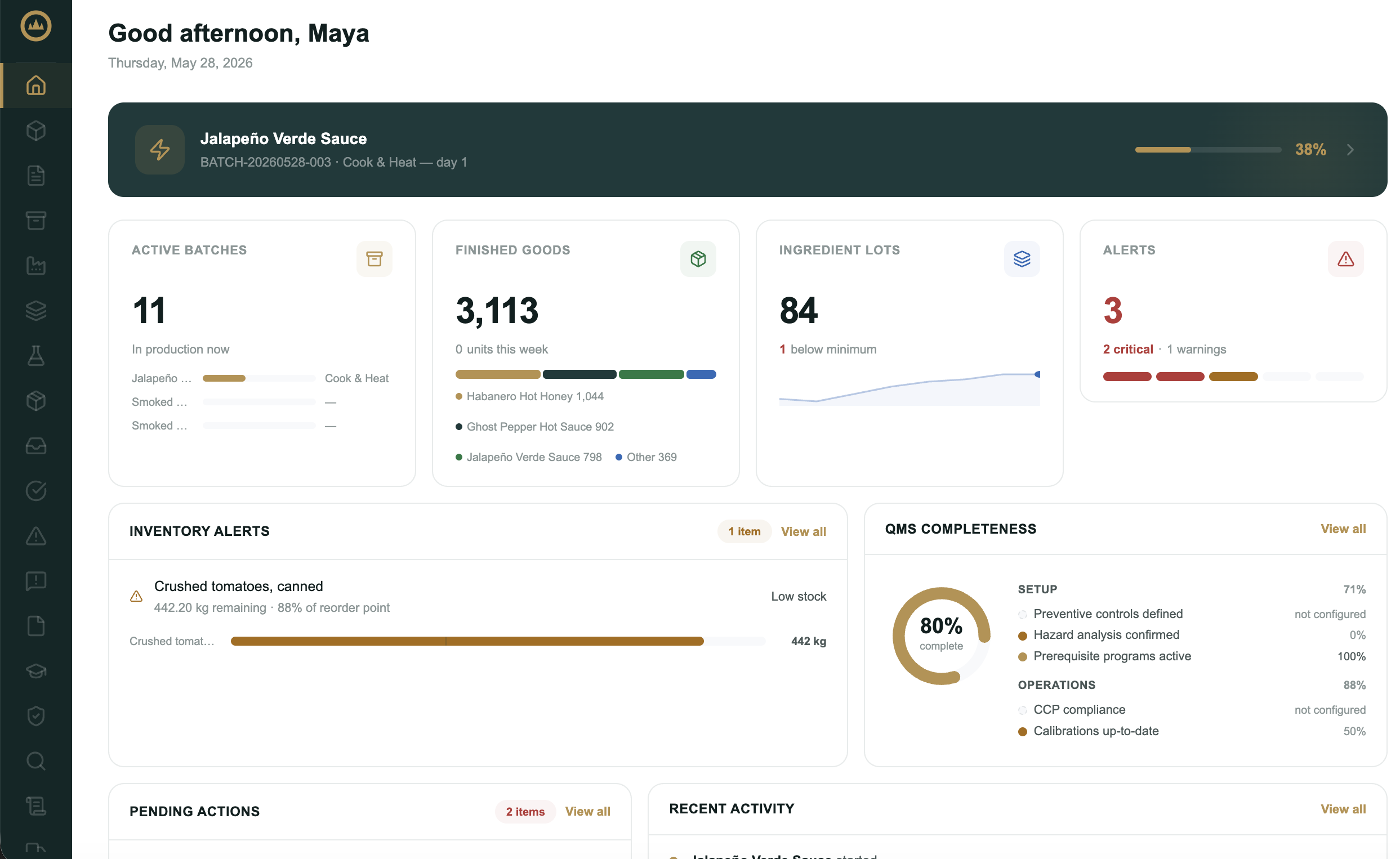
Your dashboard scores how complete your quality system is and shows it as a single percentage: the QMS completeness card. Instead of guessing how ready your records are, you get a number that updates as you work and points you at exactly what's missing. It turns "are we ready?" into something you can watch and act on.
What the score measures
Completeness is built from signals across Crown, grouped into two pillars:
- Setup covers getting your quality system in place: your hazard analysis, preventive controls, active prerequisite programs, an approved recall plan, and approved recipes.
- Operations covers keeping it running day to day: lot traceability on your batches, CCP compliance, current monitoring logs, up-to-date calibrations, and closed-out deviations.
Each signal contributes a weighted share of the score. Areas you haven't set up yet, or that don't have enough activity to score fairly, are left out of the ring rather than counted against you, so the percentage reflects what you've actually got going rather than penalizing you for being early.
Reading the card
The ring shows your overall percentage; beneath it, each pillar carries its own score. The card surfaces the signals most in need of attention first, so you can see what's dragging the number down without opening anything. Each signal reads as a percentage, not configured (you haven't started that area), or not enough data (too little activity to score yet).
Raising your score
- Open the full breakdown
Select View all on the card to see every signal, grouped by pillar, each with its progress and a target marker.
- Pick a signal below target
The signals below their target are where you'll gain the most. A small marker on each bar shows the level that counts as on track.
- Fix it at the source
Select Fix this to jump to the page where you act, then record the work there: confirm a hazard, activate a program, log a monitoring check, calibrate an instrument, or close a deviation. The score recalculates from your live data.
What's next
For the day-to-day companion to this score, see Compliance health, which lists the specific items slipping out of date. The signals themselves come from your hazard analysis, prerequisite programs, and more, so keeping those current is what moves the number.
Frequently asked questions
Does a 100% QMS completeness score mean I'm compliant?
No. The score tracks how much of your quality system you've set up and how current you're keeping it; it's a measure of your own progress, not a regulatory verdict or a prediction of how an inspection will go. Working toward a high score means more of your records and routines are in order, which helps you stay on top of things, but it doesn't sign them off or guarantee any outcome. The food-safety decisions behind those records, and whether they hold up, remain yours as the operator.
What do 'not configured' and 'not enough data' mean on a signal?
A signal reads 'not configured' when you haven't set that area up yet, for example no confirmed hazards, so it's left out of the ring rather than counted as a failure. It reads 'not enough data' when there's too little activity to score it fairly yet, for example only a batch or two recorded. Both clear as you use Crown normally.
How do I raise my score?
Open View all on the card, find a signal below its target, and use Fix this to jump to the page where you act. Record the work there, confirm a hazard, activate a program, log a monitoring check, calibrate an instrument, or close a deviation, and the score recalculates from your live data.
How is this different from the Compliance health card?
QMS completeness is the big-picture view: how much of your system is set up and current overall. Compliance health is the short list of specific items needing attention right now, such as overdue calibrations, expiring evidence, stale monitoring, or a missing safety data sheet. Use completeness to see where you stand, and Compliance health to clear what's slipping.