Production
Logging a deviation
How deviations get raised in Crown, automatically and by hand, and how to work one through to a documented disposition.
A deviation records something that went off-spec and how you handled it. Crown raises some deviations for you automatically; you can also log one by hand for anything else worth capturing. Either way, the record carries through to a documented disposition you can show an inspector.
How deviations get created
Automatically. Crown opens a deviation when:
- a critical control point reading is recorded out of range during a batch,
- a receiving inspection is marked failed,
- a calibration result falls outside tolerance, or
- a sanitation, pest, allergen, or water check is recorded as failed.
You don't have to remember to create these; the failed action raises the deviation and links it to the batch, receipt, or program it came from.
By hand. For anything else, open Deviations from the main menu and select New deviation.
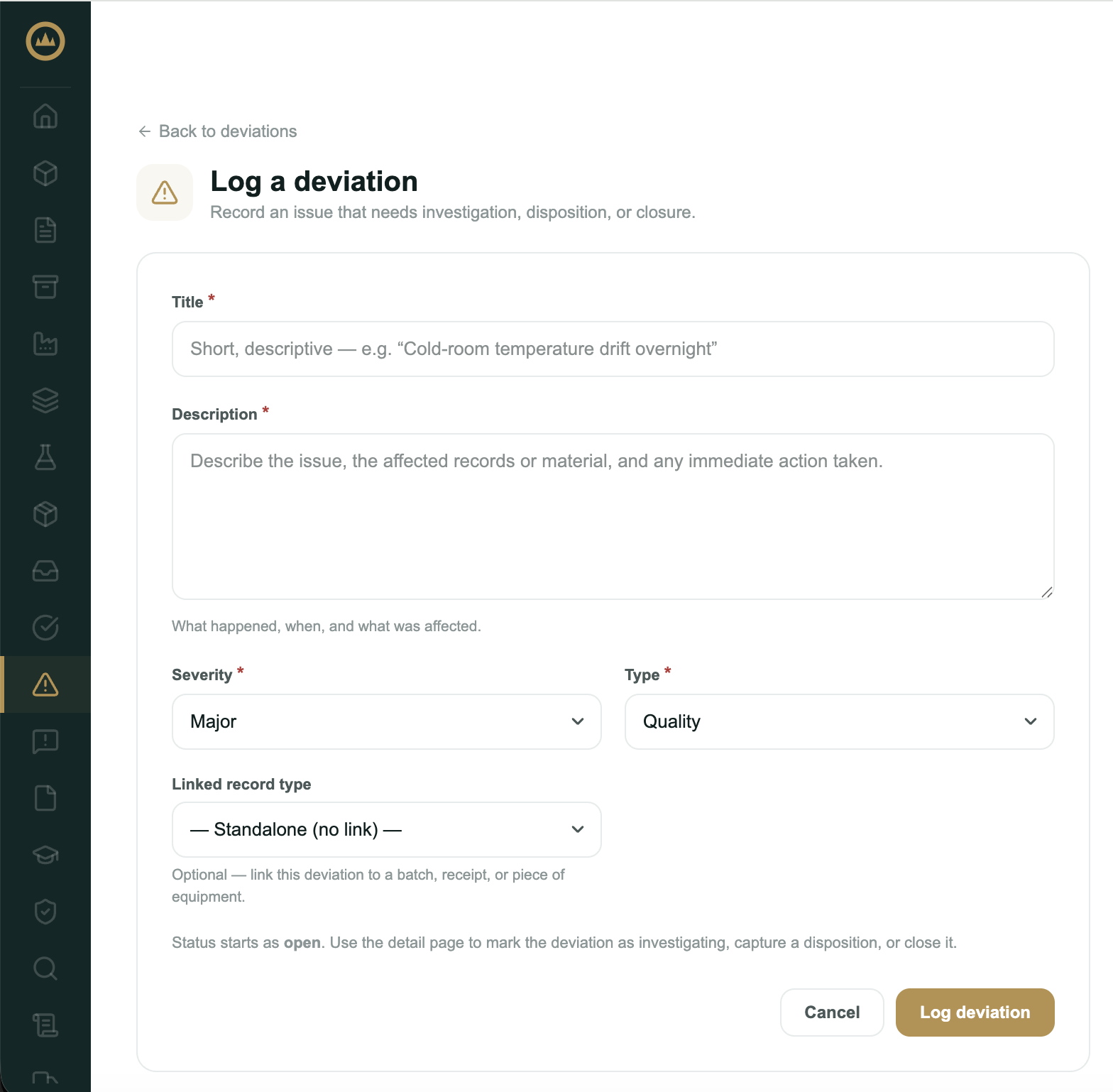
Logging one by hand
- Open the new deviation form
From Deviations, select New deviation.
- Describe what happened
Enter a short title and a description: what occurred, when, and what was affected.
- Set severity and type
Choose a severity (minor, major, or critical) and a type (receiving, production, quality, or other).
- Link it (optional)
Tie the deviation to a batch, receipt, or piece of equipment if it relates to one. Leave it standalone if not.
- Save
Save the deviation. It opens in Open status, ready to investigate.
Working it to a disposition
A deviation moves from Open → Investigating → Resolved → Closed. Resolving it means recording a disposition, what you decided to do with the affected material:
- Use as is
- Rework
- Return to supplier
- Destroy
- Downgrade
Where deviations show up
Open deviations surface on the dashboard Alerts card and in the Deviations list, where you can filter by status, severity, and type. A deviation linked to a batch also appears on that batch's record. Each deviation can be exported to PDF for an inspection file.
What's next
A deviation raised during production often ties to a release decision. See Releasing a batch, including when to release with deviation.