Getting Started
Setting up your facility profile
How to configure your facility name, address, lot code format, and registration details in Crown.
Your facility profile is the foundation of your Crown account. It sets the business name that appears on records, the address used in your recall plan, and the lot code format applied to every batch you produce. Set it up completely before creating your first recipe.
What you'll need
Have the following ready before you start:
- Your legal business or facility name
- Your facility address
- Your CFIA licence number and/or FDA Food Facility Registration number, if applicable
- A decision on your lot code format (see below)
Setting up your profile
- Open Settings
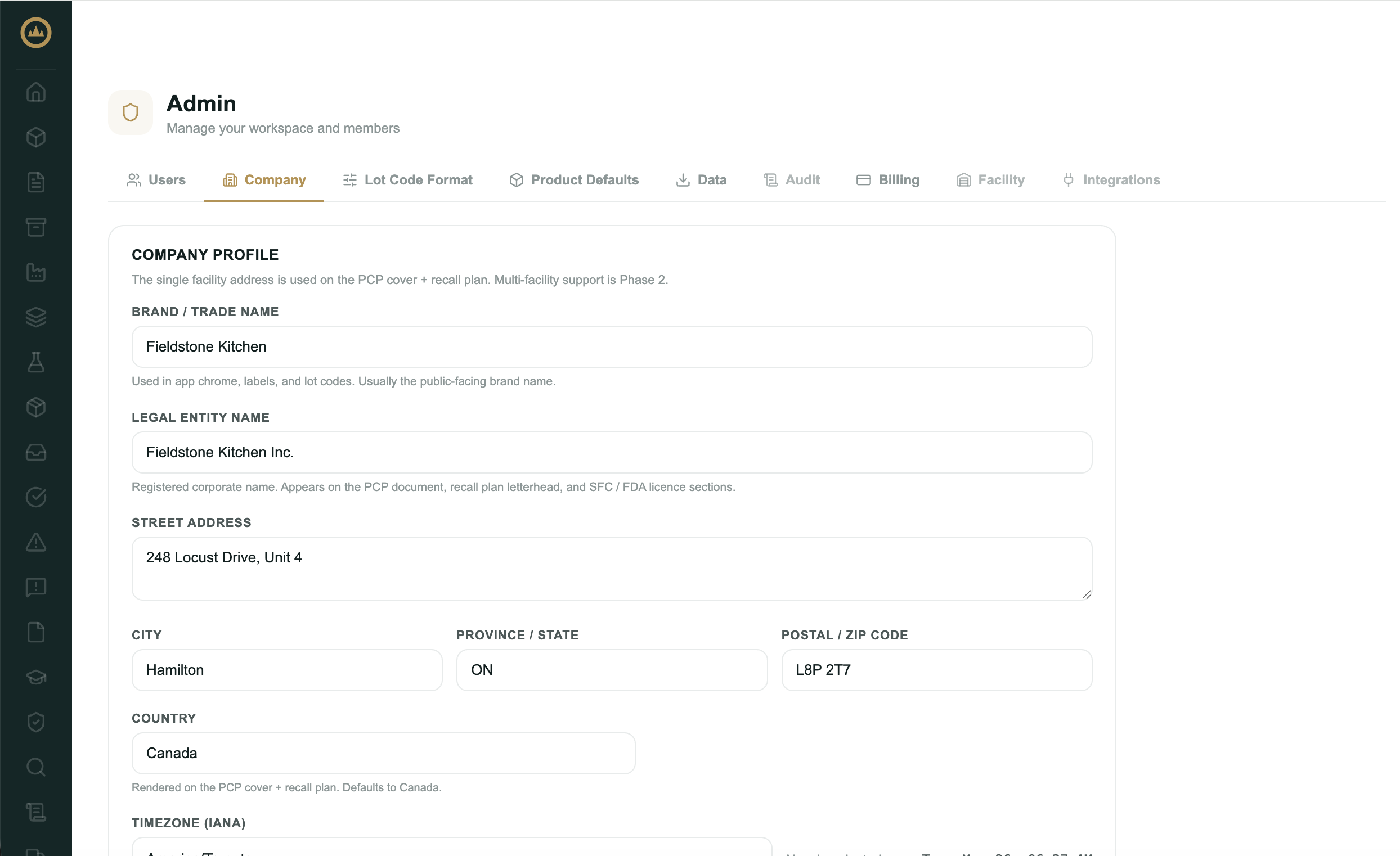
When logged in as your Admin account, navigate to 'Workspace' clicking the icon located near the bottom of the left navigation bar. Once on this page, navigate to the 'Company' tab.
- Enter your facility details
Fill in your facility name, address, and contact information. These details are used in your recall plan and compliance documents. You have space for both a legal and a trade name here, but it is the legal name used for any preventative control plan generation downstream.
- Add registration numbers
If you hold a CFIA Safe Food for Canadians licence or an FDA Food Facility Registration, enter those numbers in the registration fields. These appear on your inspector pack and compliance documents.
- Configure your lot code format
Click on the 'Lot Code Format' tab. From here, set the prefix, date format, and sequence length for your lot codes. You can select from 1 of 8 built-in common styles, or customize based on your own preferred format. Crown applies this format automatically to every batch you release. See the lot code format guide if you're unsure what to choose.
- Save
Save your profile. You can return and update it at any time; changes apply to new records only and don't retroactively alter existing ones.
Lot code format
Your lot code format determines how Crown labels every finished-good lot
you produce. A typical format looks like FK-20260524-001: a prefix ('Company Short Code'),
a date, and a sequence number.
The lot code format article covers all available options and examples.