GMP & Compliance
Compliance health on your dashboard
How to read the Compliance health card on your dashboard and what each of its categories is telling you.
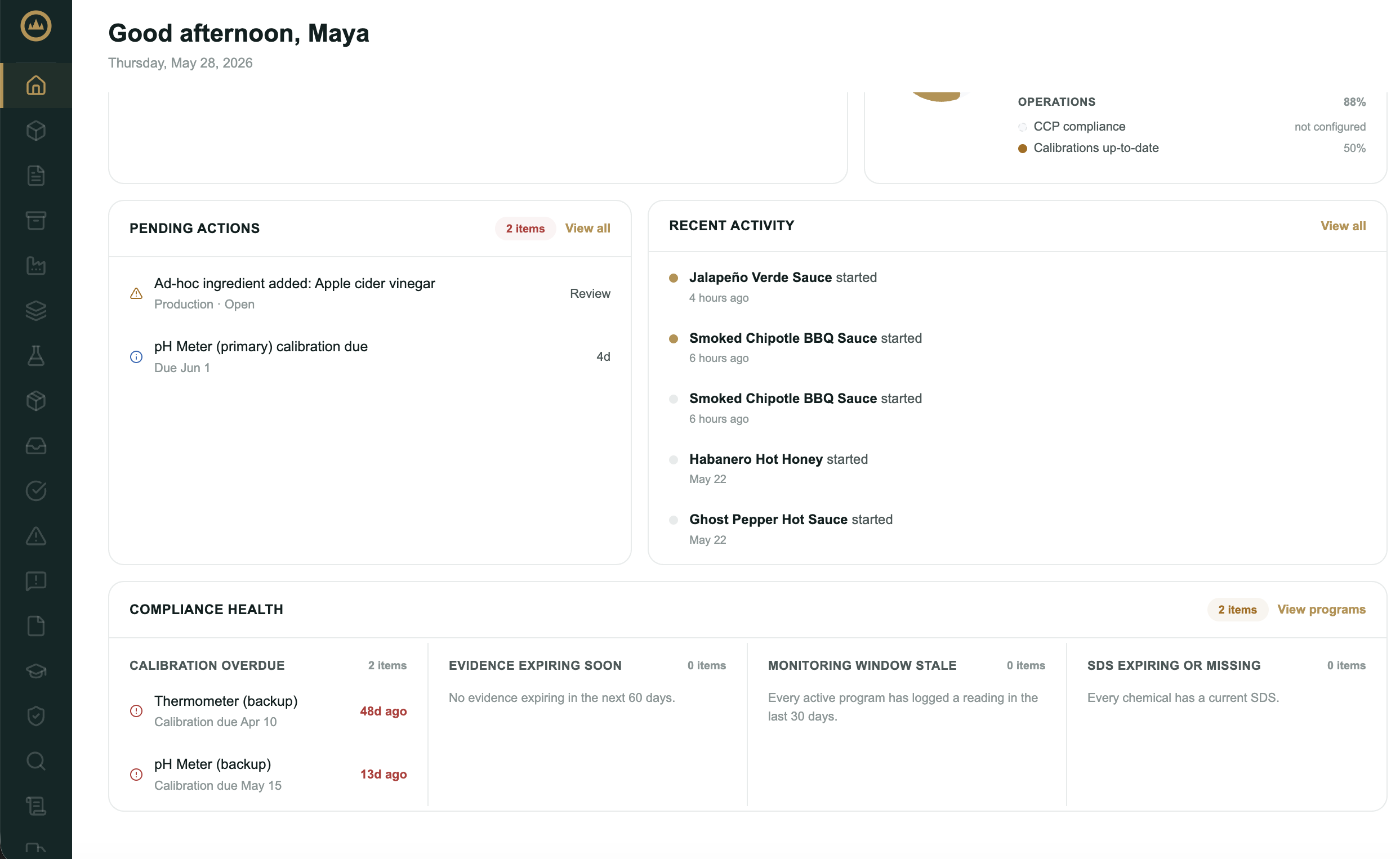
The Compliance health card on your dashboard is an at-a-glance view of what needs attention across your programs, equipment, and chemicals. It's the fastest way to spot something slipping before it becomes a gap in your records.
What it shows
The card groups attention items into four categories:
- Calibration overdue: measurement instruments past their next calibration date. See Setting up your equipment for how calibration due dates work.
- Evidence expiring soon: program evidence attachments due to expire in the near term (for example, an annual report coming up on its anniversary).
- Monitoring window stale: active programs that haven't logged a check recently, so a sanitation or pest program you've stopped recording against surfaces here.
- SDS expiring or missing: chemicals whose safety data sheet has expired, is expiring, or was never added.
When nothing needs attention, the card shows All on track. A View programs link takes you to Documents.
What's next
Most items on the card are cleared by logging the work they're asking for. See Logging monitoring checks for stale programs, and Setting up a prerequisite program to bring a program fully active.
Frequently asked questions
What does the Compliance health card check?
Four things across your programs, equipment, and chemicals: instruments past their calibration date, program evidence due to expire soon, active programs that haven't logged a check recently, and chemicals whose safety data sheet has expired or is missing. Each item names the record that needs attention; open Facility → Equipment, Documents, or Chemicals to clear it.
How do I clear an item from the card?
Log the work it's asking for: record the calibration, log the monitoring check, attach the renewed evidence, or add the missing safety data sheet. Once the underlying record is current, the item drops off and the card returns to All on track.