Training & Incidents
Handling customer complaints
How to log a customer complaint in Crown, tie it to a product and lot, and record how it was resolved.
The Complaints log is where you record what customers report and how you handled it. Tying a complaint to the product and lot it concerns connects it to your traceability records, so you can investigate quickly if a pattern emerges. It lives under Complaints in the main menu.
Recording a complaint
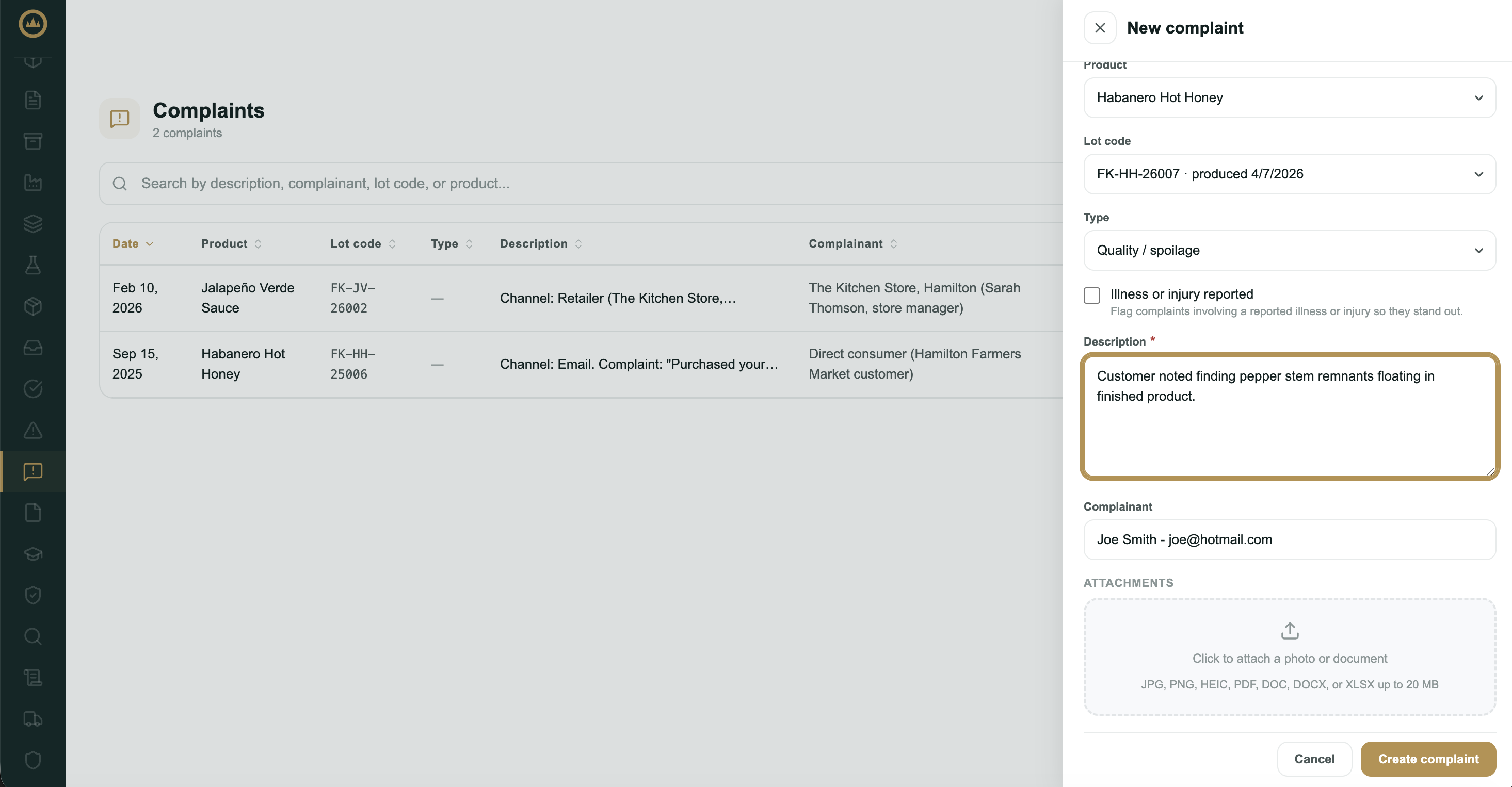
- Start a new complaint
On the Complaints page, select New complaint.
- Describe what was reported
Enter the complaint date and a description of what the customer reported. These two are required. Optionally pick a type (foreign material, quality, packaging, and so on) so you can spot patterns later, and tick Illness or injury reported if someone was harmed.
- Tie it to a product and lot
Choose the product, then pick its lot code from the list Crown has for that product. If the lot isn't in Crown (made before you started using it, repackaged, or co-packed), choose Lot not listed / made outside Crown and enter the code with a short reason. Add the complainant (the customer's name or contact) if you have it.
- Attach any evidence
Add a photo or document if you have one, such as a picture of the foreign object or the damaged packaging.
- Create it
Select Create complaint. It's logged with an Open status.
Resolving a complaint
- Open the complaint
Select the complaint to view it, then choose Mark as resolved.
- Record the resolution
Enter how the complaint was resolved. The resolution is required and is kept on the audit trail.
- Confirm
Mark it resolved. Crown stamps when it was resolved and moves it to the Resolved status.
Archiving
To remove a complaint from the working list (for example, a duplicate or a test entry), open it and archive it. Archived complaints are hidden from the list but kept in your records.
What's next
If a complaint points to a genuine production problem, you may also want a deviation to track the investigation and disposition. See Logging a deviation.